
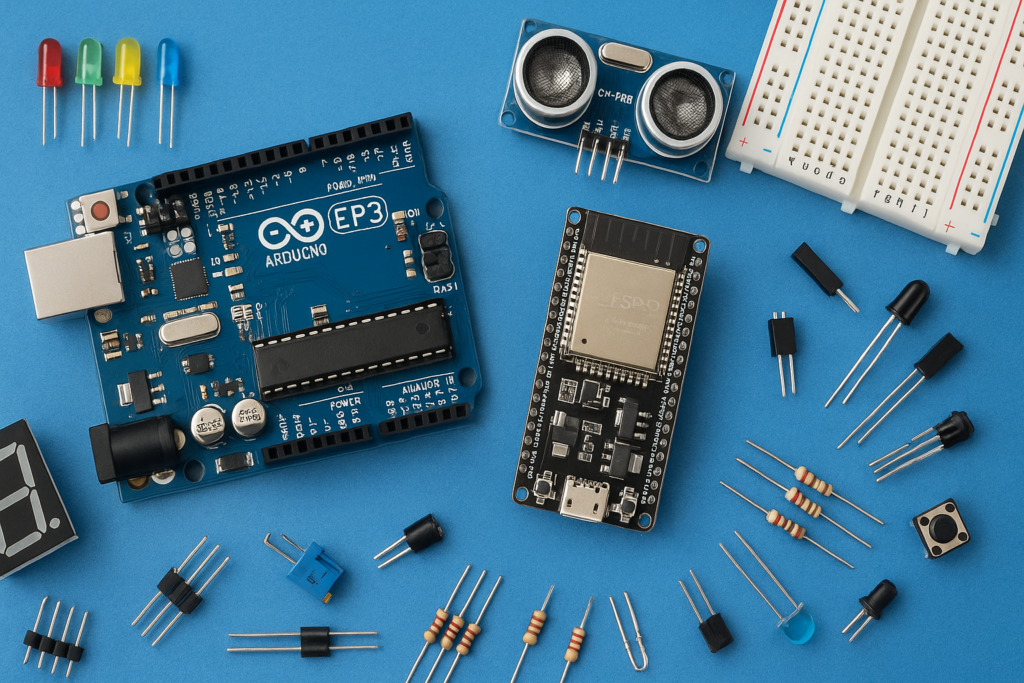
This DIY project shows how to build a powerful Motion Detection Alert System using an ESP32 microcontroller and a PIR motion sensor. When the sensor detects movement, the system instantly sends a real-time SMS alert to your mobile phone over Wi-Fi.
Key Components
- ESP32 Microcontroller: The core of the system, handling the sensor input and Wi-Fi connectivity to send the message.
- PIR Motion Sensor: Detects movement based on changes in infrared radiation.
- Twilio Service: A cloud communication platform used by the ESP32 to send SMS messages over the internet.
- LED (Optional): Provides a visual indicator when motion is detected.
Components Required
- Arduino (Any) https://amzn.to/491S9wd DS18B20
- Temperature Sensor module https://amzn.to/4ojhJS8
- TM1637 4-Digit Display Module https://amzn.to/4hI2fEQ
- Buzzer https://amzn.to/3X28MR0
- Female -Female Jumper Wires-7 https://amzn.to/4oK9IFk
1: Setting up the PIR Sensor
- The PIR sensor has three main pins: VCC (Power), GND (Ground), and Output (Signal).
- It usually includes two small knobs (potentiometers) to adjust sensitivity (how easily it detects motion) and delay time (how long it stays triggered after movement ends). For testing, set both to high sensitivity and longer delay.
- Make sure the sensor jumper is set for continuous operation mode.
2: Twilio Account Setup
Since the ESP32 cannot send SMS directly, it uses the Twilio platform’s API over Wi-Fi:
- Create an account on the Twilio website.
- Set up a basic messaging (free) service to obtain your required credentials.
- You must note down your Account SID, Auth Token, and your assigned Twilio phone number. These are critical security credentials that will be incorporated directly into the ESP32 code.
3: Hardware Connections
Once the Twilio setup is complete and the code (containing your credentials and Wi-Fi information) is ready to be uploaded to the ESP32, make the following connections:
PIR Sensor Connections
| PIR Sensor Pin | ESP32 Pin |
| Ground | GND Pin |
| VCC (Power) | VIN Pin |
| Output (Signal) | Digital Pin D2 |
Visual Indicator LED (Optional)
If you are including a status LED:
- LED Shorter Leg (Negative) to GND Pin of the ESP32.
- LED Longer Leg (Positive) to Digital Pin D13 of the ESP32
4: Operation and Alert
- Power Up: Connect the ESP32 to a power source.
- Detection: When the PIR sensor detects motion, it sends a HIGH signal to the ESP32.
- Alert: The ESP32, upon receiving the HIGH signal:
- Turns ON the optional LED (if included).
- Connects to your Wi-Fi.
- Uses the Twilio API and your credentials to send a pre-defined SMS alert to your designated mobile number.
Code
#include <WiFi.h>

#include <HTTPClient.h>

#include <base64.h>


// WiFi credentials

const char* ssid = "";//YOUR WIFE NAME

const char* password = "";//YOUR WIFI PASSWORD


// Twilio credentials

const char* account_sid = "";

const char* auth_token = "";

const char* twilio_phone_number = "";

const char* to_phone_number = "";


// PIR and LED pins

const int PIR_PIN = 2;        // PIR sensor connected to GPIO 2

const int LED_PIN = 13;       // LED connected to GPIO 13 (or use built-in LED pin 2)


// Twilio API endpoint

String twilio_url = "https://api.twilio.com/2010-04-01/Accounts/" + String(account_sid) + "/Messages.json";


// Motion detection variables

bool motionDetected = false;

bool lastMotionState = false;

unsigned long motionTime = 0;

unsigned long ledOnDuration = 10000;  // LED stays on for 10 seconds after motion

unsigned long lastSMSTime = 0;

unsigned long smsDelay = 60000;       // Minimum 1 minute between SMS messages (to avoid spam)


void setup() {

  Serial.begin(115200);

  delay(1000);


  // Initialize PIR and LED pins

  pinMode(PIR_PIN, INPUT);

  pinMode(LED_PIN, OUTPUT);

  digitalWrite(LED_PIN, LOW);  // Turn off LED initially


  Serial.println("ESP32 PIR Motion Detector with SMS Alert");

  Serial.println("Initializing...");


  // Connect to WiFi

  WiFi.begin(ssid, password);

  Serial.print("Connecting to WiFi");


  while (WiFi.status() != WL_CONNECTED) {

    delay(1000);

    Serial.print(".");

  }


  Serial.println();

  Serial.println("WiFi connected!");

  Serial.print("IP address: ");

  Serial.println(WiFi.localIP());


  // Give PIR sensor time to stabilize

  Serial.println("Waiting for PIR sensor to stabilize...");

  delay(5000);

  Serial.println("PIR sensor ready!");

  Serial.println("System is now monitoring for motion...");

}


void loop() {

  // Read PIR sensor

  int pirValue = digitalRead(PIR_PIN);


  if (pirValue == HIGH) {

    // Motion detected

    if (!motionDetected) {

      // First detection - turn on LED and send SMS

      Serial.println("MOTION DETECTED!");

      motionDetected = true;

      digitalWrite(LED_PIN, HIGH);  // Turn on LED


      // Send SMS if enough time has passed since last SMS

      if (millis() - lastSMSTime > smsDelay) {

        String alertMessage = "SECURITY ALERT! Motion detected. Time: " + getTimeString();

        Serial.println("Sending SMS alert...");


        if (sendSMS(alertMessage)) {

          lastSMSTime = millis();

          Serial.println("SMS alert sent successfully!");

        } else {

          Serial.println("Failed to send SMS alert!");

        }

      } else {

        Serial.println("SMS not sent - too soon since last message");

      }

    }


    // Update motion time (keeps LED on while motion continues)

    motionTime = millis();


  } else {

    // No motion detected

    if (motionDetected) {

      // Check if LED should turn off after delay

      if (millis() - motionTime > ledOnDuration) {

        Serial.println("Motion ended - LED off");

        motionDetected = false;

        digitalWrite(LED_PIN, LOW);   // Turn off LED

      }

    }

  }


  // Debug output every 10 seconds

  static unsigned long lastDebug = 0;

  if (millis() - lastDebug > 10000) {

    Serial.print("Status - PIR: ");

    Serial.print(pirValue);

    Serial.print(", LED: ");

    Serial.print(digitalRead(LED_PIN) ? "ON" : "OFF");

    Serial.print(", WiFi: ");

    Serial.println(WiFi.status() == WL_CONNECTED ? "Connected" : "Disconnected");

    lastDebug = millis();

  }


  delay(100);  // Small delay to avoid overwhelming the system

}


bool sendSMS(String message) {

  if (WiFi.status() == WL_CONNECTED) {

    HTTPClient http;

    http.begin(twilio_url);


    // Set headers

    http.addHeader("Content-Type", "application/x-www-form-urlencoded");


    // Create basic authentication header

    String auth = String(account_sid) + ":" + String(auth_token);

    String authEncoded = base64::encode(auth);

    http.addHeader("Authorization", "Basic " + authEncoded);


    // Create POST data

    String postData = "To=" + String(to_phone_number) +

                      "&From=" + String(twilio_phone_number) +

                      "&Body=" + urlEncode(message);


    Serial.println("Sending SMS...");

    Serial.println("Message: " + message);


    // Send POST request

    int httpResponseCode = http.POST(postData);


    if (httpResponseCode > 0) {

      String response = http.getString();

      Serial.println("HTTP Response Code: " + String(httpResponseCode));

      Serial.println("Response: " + response);


      if (httpResponseCode == 201) {

        Serial.println("SMS sent successfully!");

        http.end();

        return true;

      } else {

        Serial.println("Failed to send SMS. Check your credentials and phone numbers.");

      }

    } else {

      Serial.println("Error in HTTP request: " + String(httpResponseCode));

    }


    http.end();

    return false;


  } else {

    Serial.println("WiFi not connected! Attempting to reconnect...");

    WiFi.begin(ssid, password);

    return false;

  }

}


// URL encode function for proper formatting

String urlEncode(String str) {

  String encoded = "";

  char c;

  char code0;

  char code1;


  for (int i = 0; i < str.length(); i++) {

    c = str.charAt(i);

    if (c == ' ') {

      encoded += '+';

    } else if (isalnum(c)) {

      encoded += c;

    } else {

      code1 = (c & 0xf) + '0';

      if ((c & 0xf) > 9) {

        code1 = (c & 0xf) - 10 + 'A';

      }

      c = (c >> 4) & 0xf;

      code0 = c + '0';

      if (c > 9) {

        code0 = c - 10 + 'A';

      }

      encoded += '%';

      encoded += code0;

      encoded += code1;

    }

    yield();

  }

  return encoded;

}


// Simple time string function (since ESP32 doesn't have RTC by default)

String getTimeString() {

  unsigned long currentTime = millis();

  unsigned long seconds = currentTime / 1000;

  unsigned long minutes = seconds / 60;

  unsigned long hours = minutes / 60;


  seconds = seconds % 60;

  minutes = minutes % 60;

  hours = hours % 24;


  String timeStr = "";

  if (hours < 10) timeStr += "0";

  timeStr += String(hours) + ":";

  if (minutes < 10) timeStr += "0";

  timeStr += String(minutes) + ":";

  if (seconds < 10) timeStr += "0";

  timeStr += String(seconds);


  return timeStr;

}
This project creates an effective, customizable, and reliable motion-based notification system, leveraging the power of IoT for home security.
Watch the full video tutorial here: How to make PIR Motion Alert with ESP32 & SMS | Beginner Project